
Built on USDA FoodData Central
12,601 foods.
Measured, not guessed.
Not every food on earth — the ones that have actually been through a laboratory. Every entry in Wise Eating comes from USDA FoodData Central, with 39 nutrient fields each: 22 vitamins, 11 minerals, and the macros. Search them the way you think, plan the week from them, and put your training on the same timeline.
- Free to download
- iPhone & iPad
- iOS 18.0+
- Works offline
Every dot is a food. Hover a city to see what it eats.
A calorie count tells you
almost nothing about what you ate.
Two meals can land on the same number and do entirely different things to you. One carries iron, magnesium, B6 and fibre. The other carries sugar and a headache at four o'clock.
Wise Eating starts from the composition data instead — the same tables dietitians and food scientists work from — so you can see what a meal actually contains before you decide whether to eat it twice a week.
Natural language search
Ask for food the way you'd ask a person.
Type the constraint, not the keyword. The search reads quantities, comparisons, negations and diets, and filters 12,601 foods on the device — no round trip, no waiting.
Stack it with filters for allergens, diets, pH and alkalinity, and age suitability, and the columns you constrained stay visible in the results so you can see why something matched.
How the data works- beef proteins less than 15
- vegetarian, rich in iron
- high protein, no milk
- low sugar, high fibre, under 200 kcal
- alkaline, no nightshades
- suitable from 8 months, no honey
Every one of these is a query the app understands as written. Follow any of them here to read about the nutrient behind it.
One day, one line
Food and training stop being two apps.
Meals, snacks, workouts, symptoms and notes go on a single timeline in the order they happened. That is the only way the interesting question becomes answerable: what did the week you felt good actually look like?
- Log sets, reps, time and perceived effort against the session
- Mark mood, energy and symptoms as they happen, not from memory
- Compare weeks rather than days — habits show up at that scale
Every screen
This is the whole app.
No mock-ups and no renders — these are the screenshots from the App Store listing, in the order you would meet them.
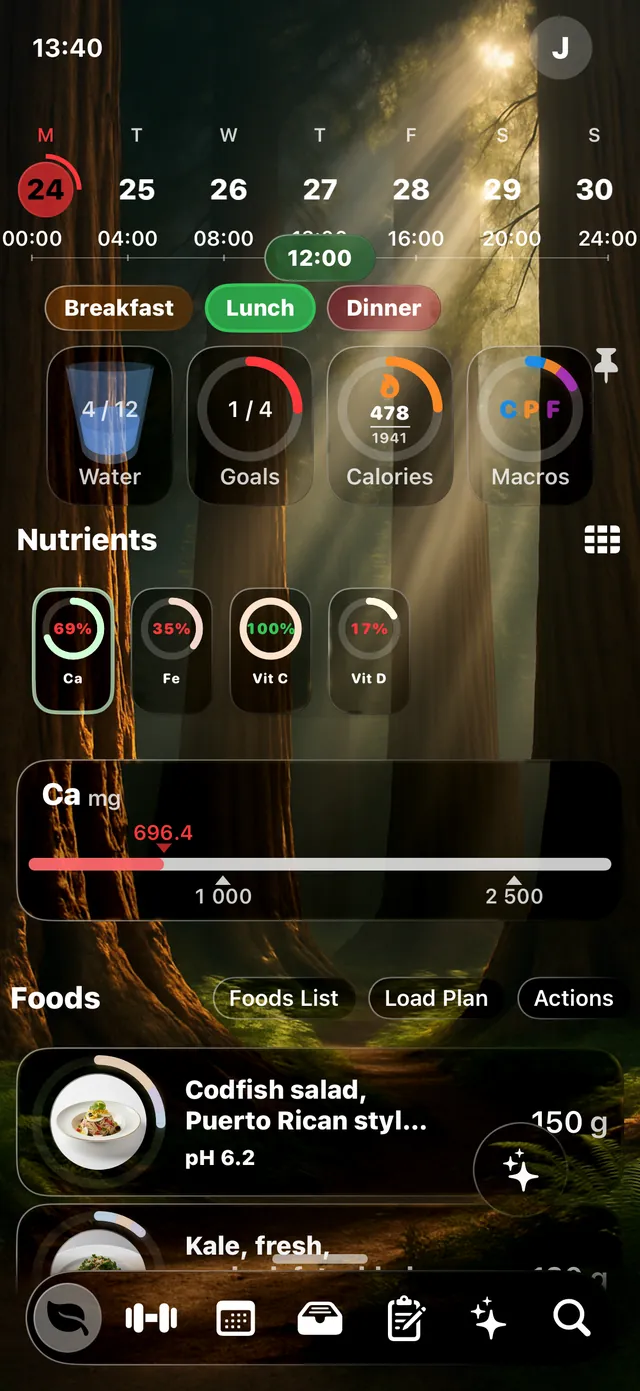
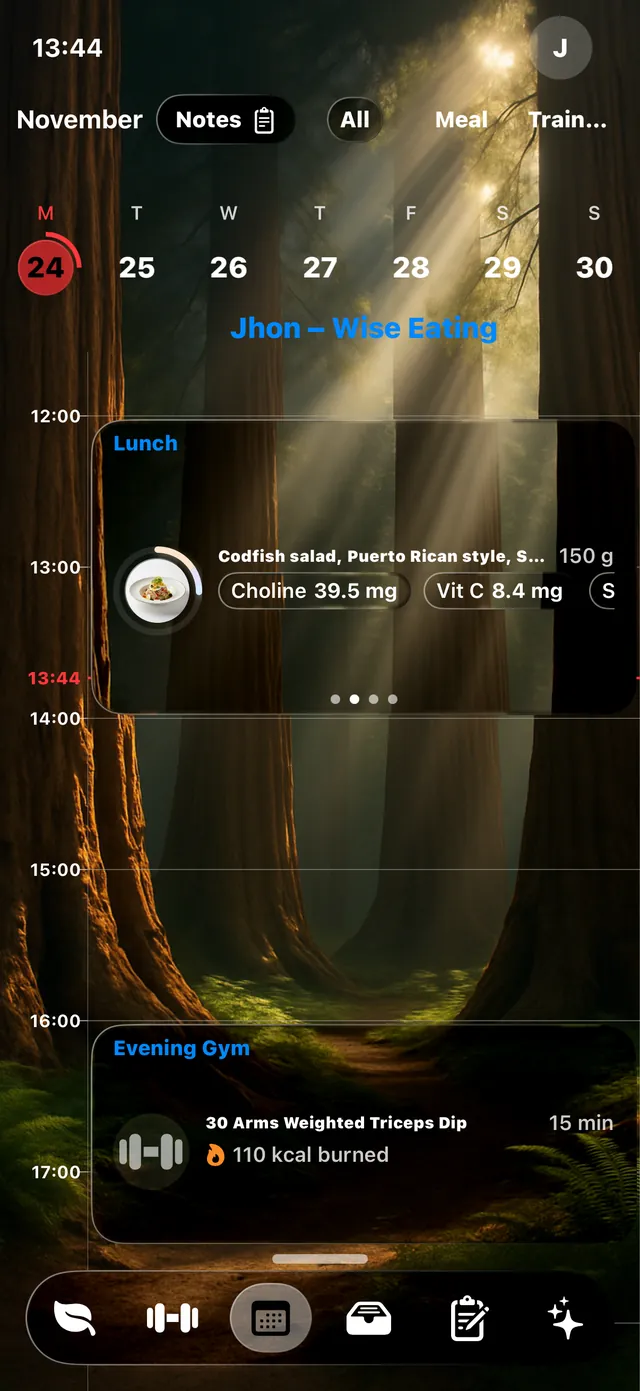
The day, in one screen
Meals, nutrients, water and goals against the hours they actually happened in.
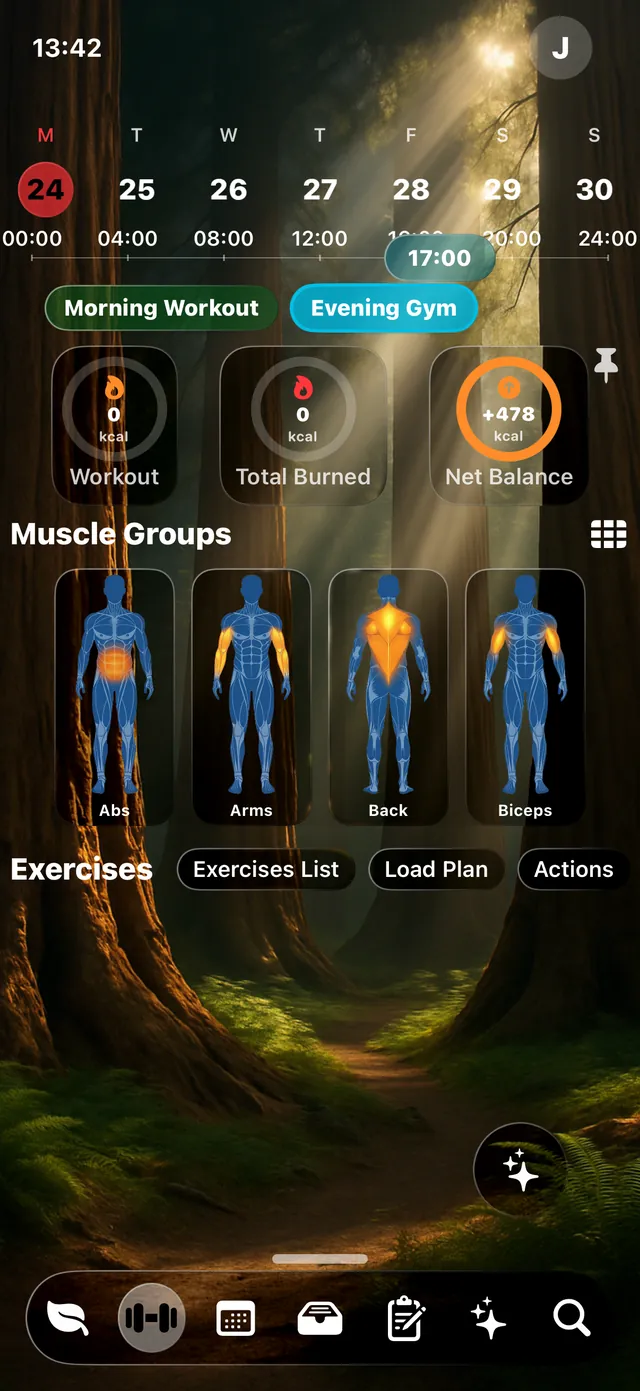
Training on the same line
Sessions, muscle groups worked and calories burned, next to what you ate.
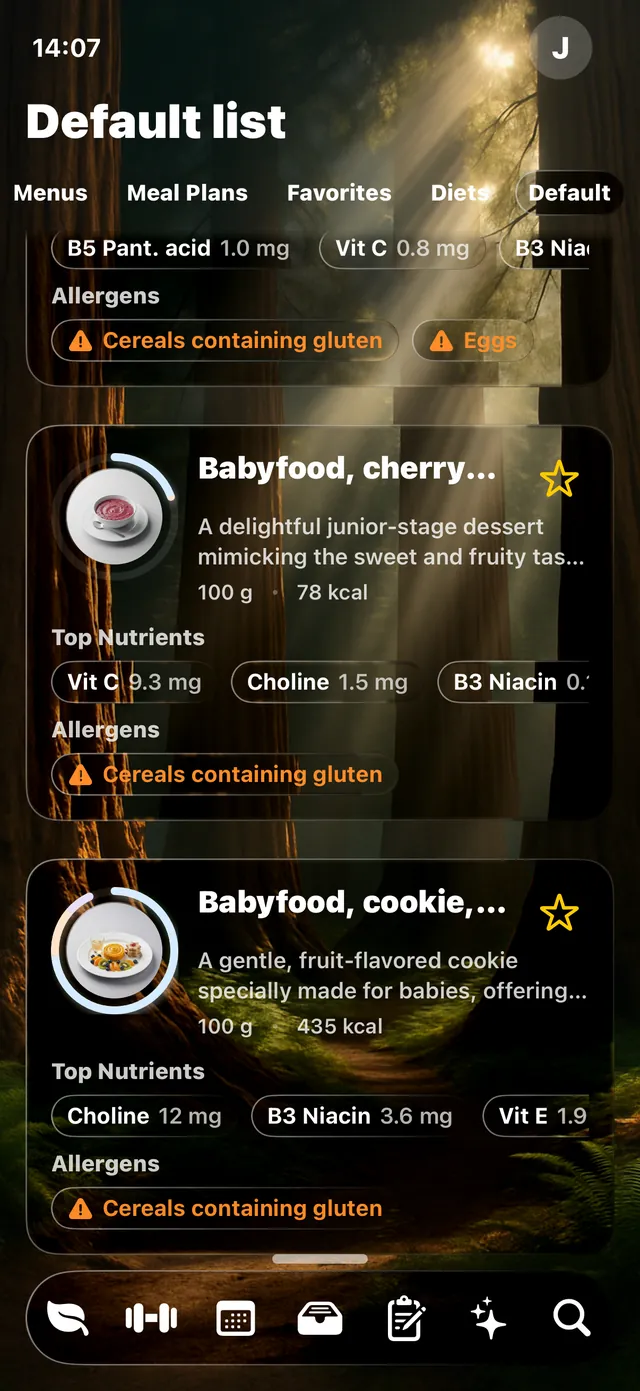
Food, with the label read for you
Top nutrients and allergen warnings on the row, before you open anything.
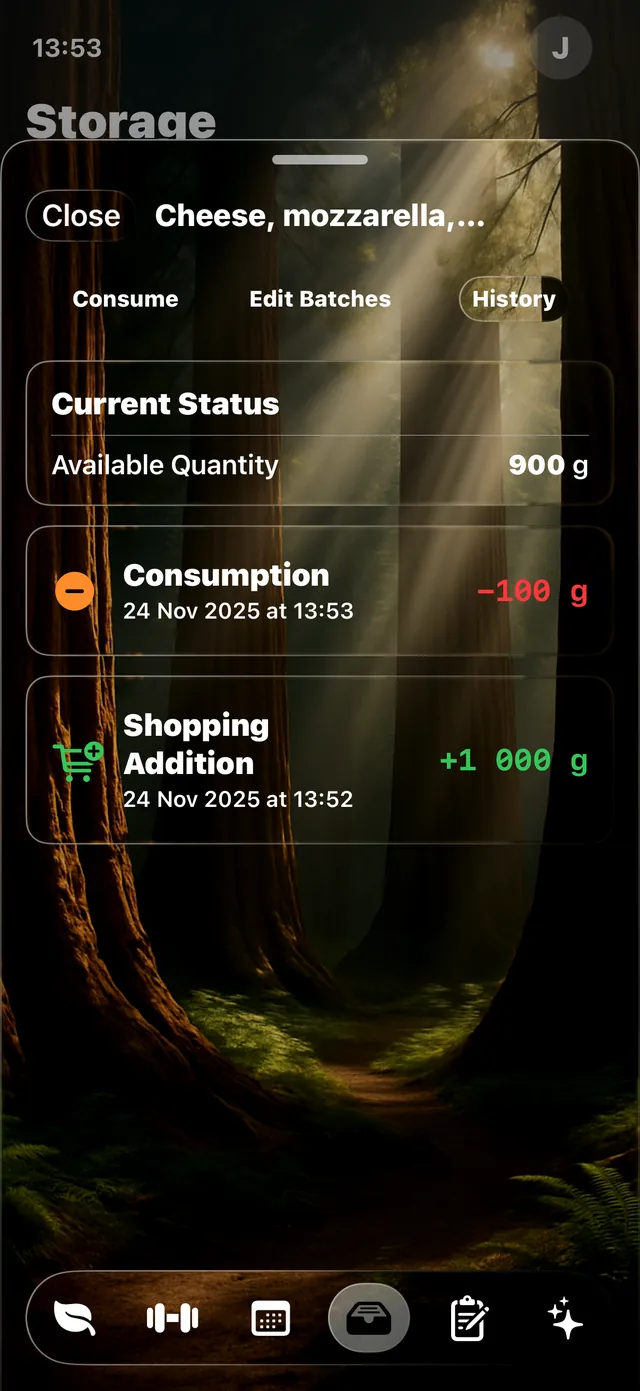
What is in the cupboard
Quantities, batches and every consumption event against a single product.
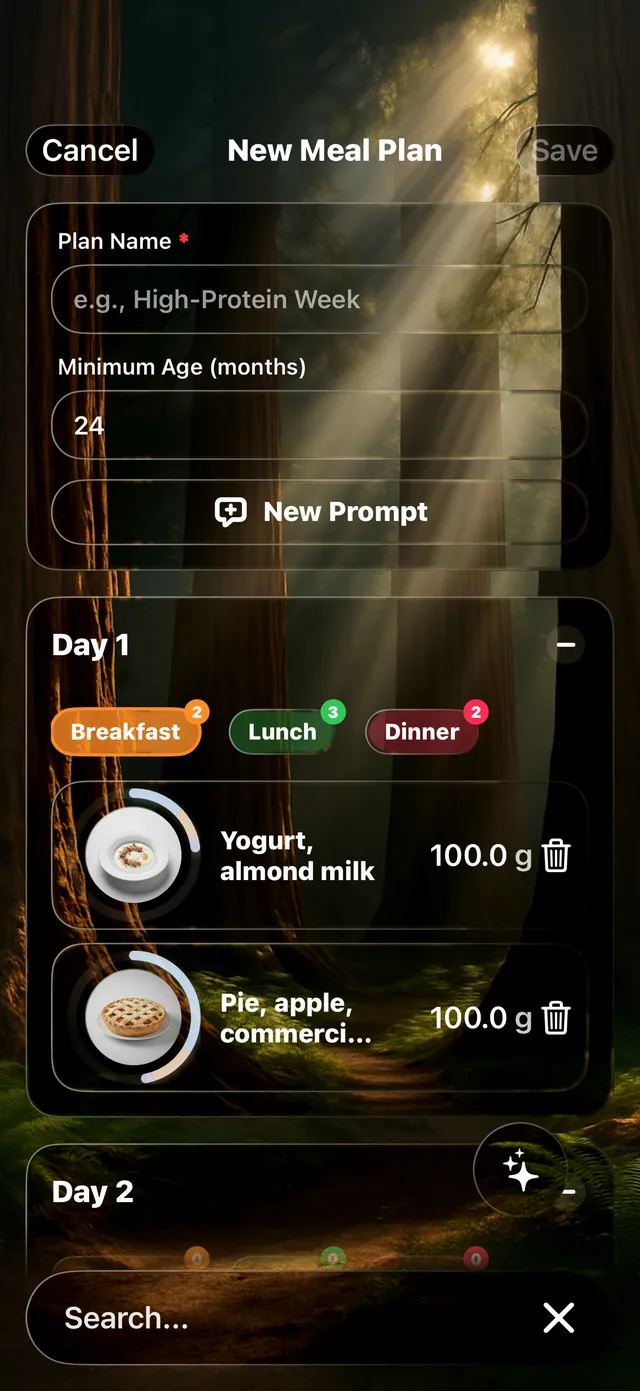
A week, generated
Ask for a plan with your constraints; adjust any meal it comes back with.
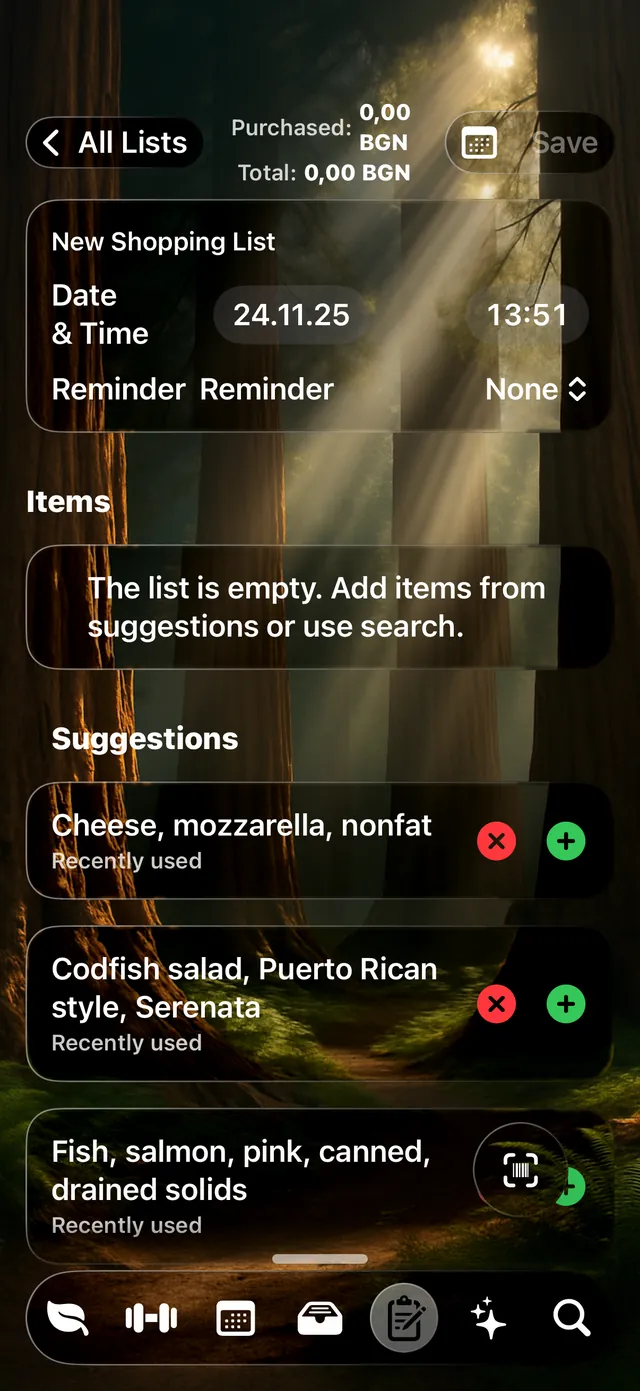
Lists that suggest themselves
The shopping list proposes what you have been eating and what has run out.
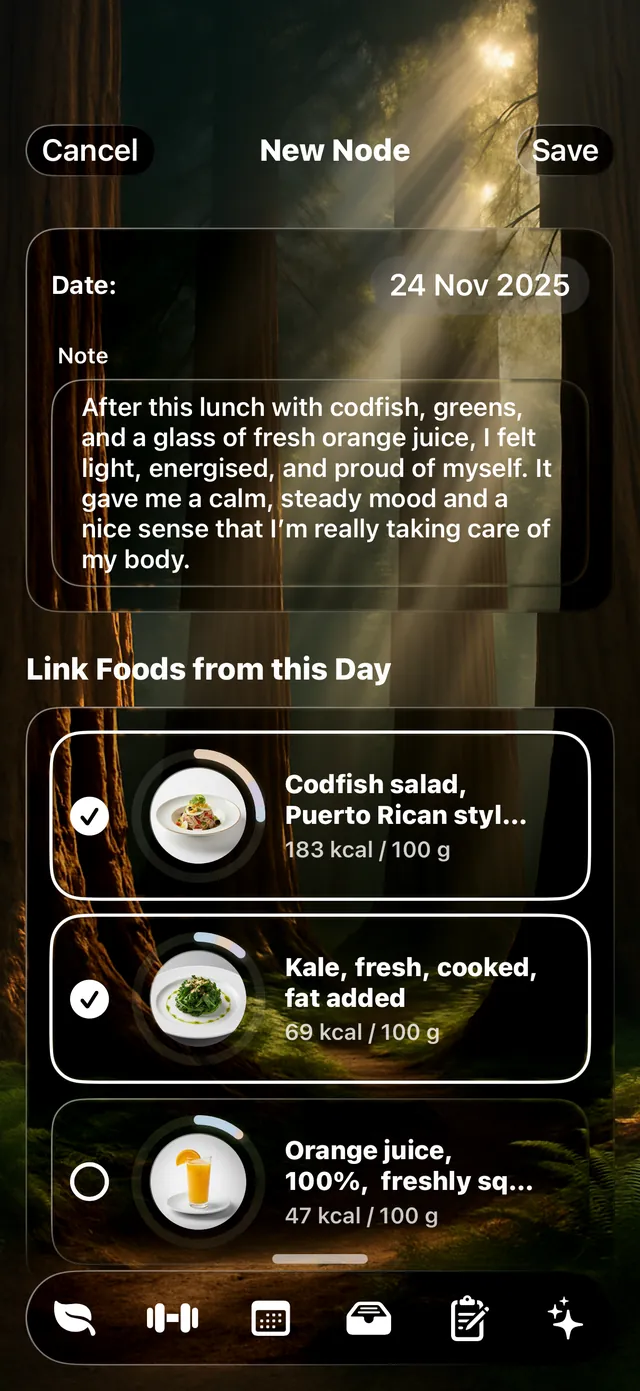
Notes, tied to real food
Write how a day went and link the exact foods it involved.
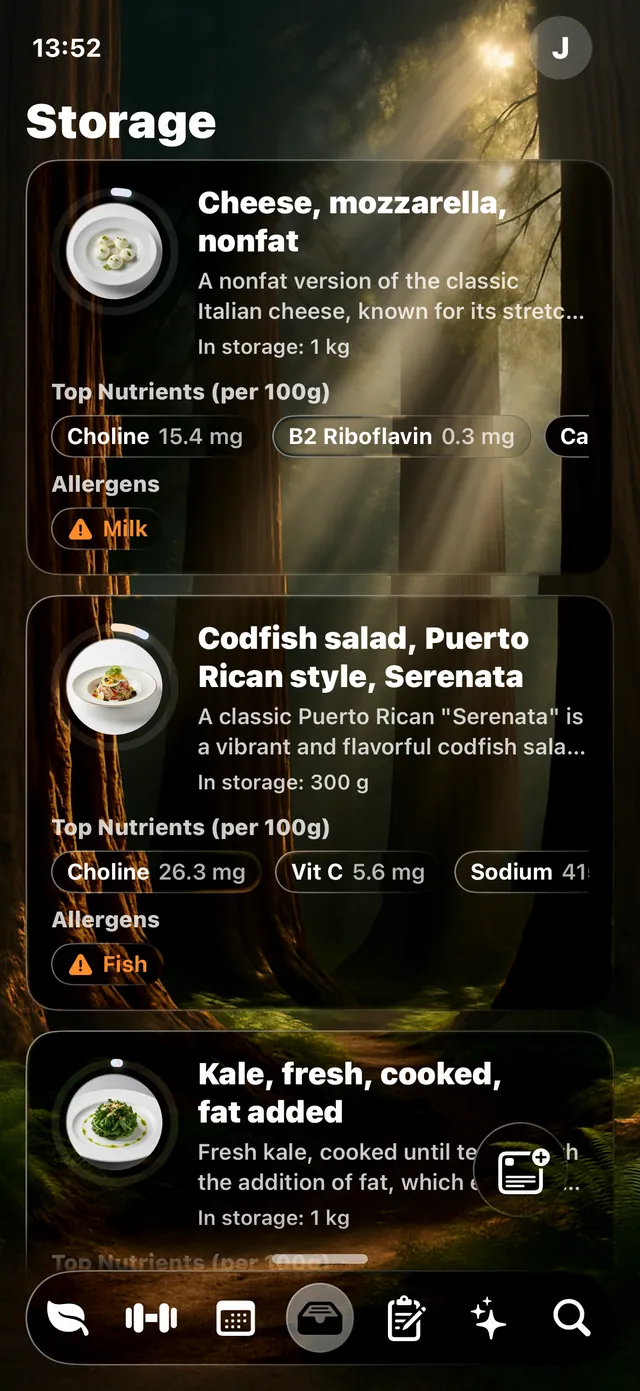
Nutrients per 100 g, always
Every stored food carries its full panel, allergens included.
A month at a glance
Meals and training across weeks, which is the scale habits are visible at.
What it does
Everything between deciding and eating.
Planning, shopping, storing, cooking, training and noticing — the parts a food tracker usually leaves to you.

The whole nutrient panel
Per serving and per 100 g, with 22 vitamins and 11 minerals shown honestly — a dash where the data is missing rather than a zero that pretends otherwise.
Nutrients & USDA data →
AI weekly plans
Meal plans and training weeks generated from real foods and your own constraints — goal, age, diet, allergens, equipment.
All features →
A pantry that remembers
Batches, quantities and expiry dates for what is actually in the house, so a plan can be built from what you own before it asks you to shop.
Pantry & shopping →
Training that knows what you ate
Strength, hypertrophy, fat loss, mobility or general fitness. Pick the goal, the equipment and the days; adjust the template whenever it stops fitting.
Training →
Feeding a baby
Age-suitability floors on every food, a hard honey rule under twelve months, and allergens rolled up through recipes.
Read the guide →
Shopping & budget
Lists that fall out of the plan, and optional price tracking so the week's food has a number attached before you are standing in the shop.
See how →The data
American data. Global appetite.
USDA FoodData Central is published by the United States Department of Agriculture, and it is the most complete public food composition database in existence. Canada leans on it. Researchers everywhere cite it. Most countries have nothing of the kind of their own.
That is why Wise Eating is not a US-only tool. Composition is a property of the food, not of the border it crossed — a lentil in Sofia and a lentil in Seattle are the same lentil. What changes is soil, storage and how you cooked it, and the app says so rather than hiding it.
Nutrient figures are estimates. Actual content varies with variety, soil, season, storage and preparation. For anything that matters clinically, use laboratory testing and professional advice.
Who uses it
Built for one person. Useful to a practice.

People & families
Cover the nutrients you keep missing, check allergens before you cook, and see how the weeks you felt good were different from the ones you didn't.

Health professionals
Dietitians, paediatricians, gastroenterologists, endocrinologists and therapists who want structured logging and a reference table they can defend.
Coaches & trainers
Design programmes, try variations, and keep the nutrition side of a client's week in the same place as the training side.

Employers & teams
Wellbeing programmes that give people a real tool rather than a leaflet, and no requirement to hand over health data to get it.
Questions
The things people ask first.
Where does the nutrition data come from?
Every food in Wise Eating comes from USDA FoodData Central, the food composition database published by the United States Department of Agriculture. It is the reference table dietitians, researchers and food manufacturers use, and it carries far more than calories — vitamins, minerals, amino acids and fatty acids, per food and per portion.
Is Wise Eating only useful in the United States?
No. USDA data is American in origin but international in use: most countries have no national food composition table of comparable depth, and the ones that do — Canada among them — derive much of their data from it. An apple is an apple. The app is used the same way anywhere.
Does it replace a dietitian or a doctor?
No, and it is not designed to. Wise Eating is a planning and education tool. It does not diagnose, treat or cure anything, and nutrient figures are estimates rather than measurements. If you have symptoms, a diagnosis or a child to feed, talk to a clinician and use the app to carry out what you agree.
What does it cost?
The app is free, and the free tier includes the entire food database, search, the diary, the pantry and shopping lists. Paid tiers start at $2.99 a month to remove advertising, and add AI meal and training plans above that.
Which devices does it run on?
Wise Eating runs on iPhone and iPad, and needs iOS 18.0 or later.
Start with one meal.
Look up something you ate today. See what was actually in it. That is usually enough to change what you cook on Thursday.